Make the desk your own.
Explore keycap sets, desk mats, cables and tools from the Minisni catalogue. Compare the design you like with the layout, dimensions and specifications your setup needs.
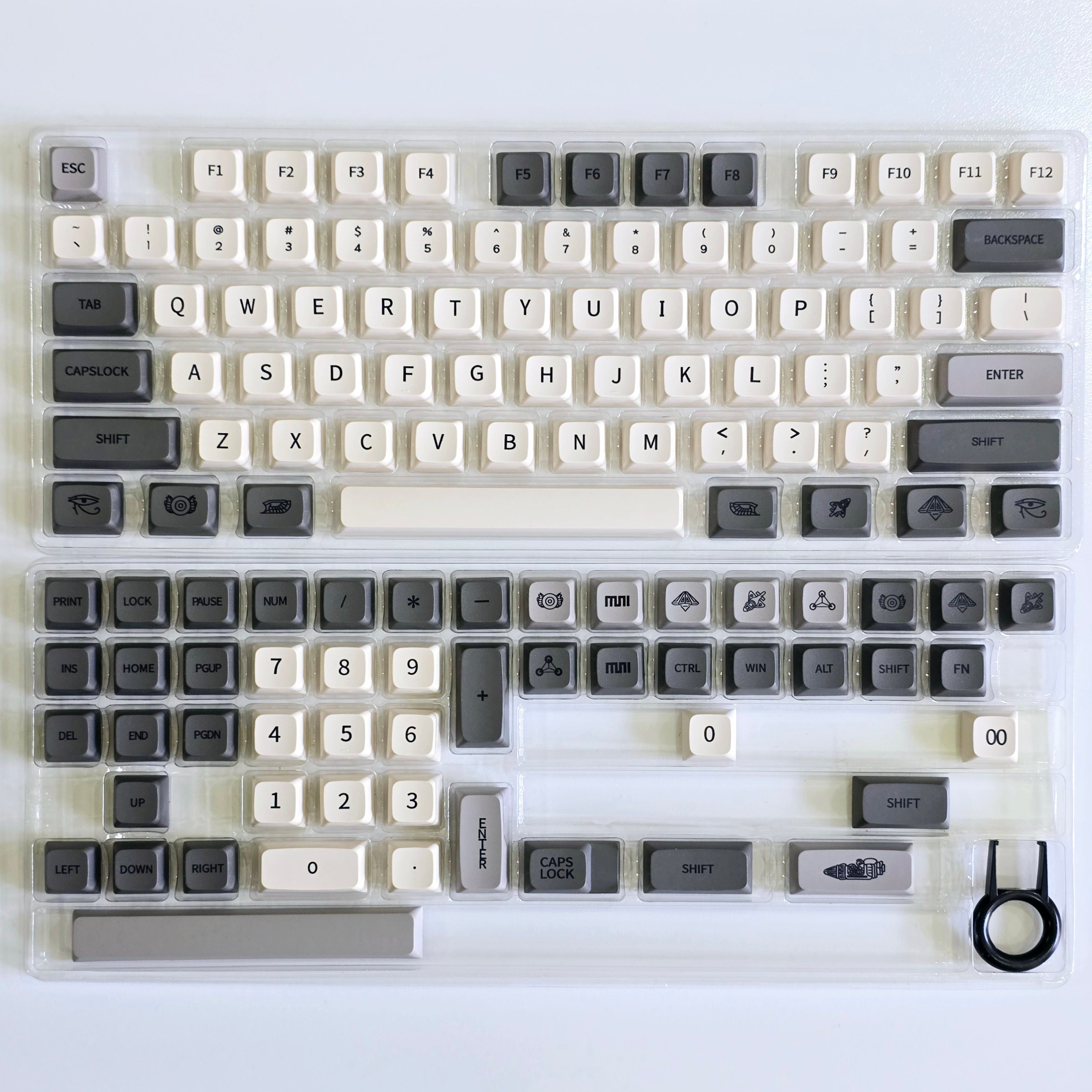
Shown: Revelation Rocket XDA PBT Keycaps. Its description lists 133 keys, an XDA profile, PBT material and five-sided dye sublimation.
Explore the catalogue
Start with your setup
Start with the connection
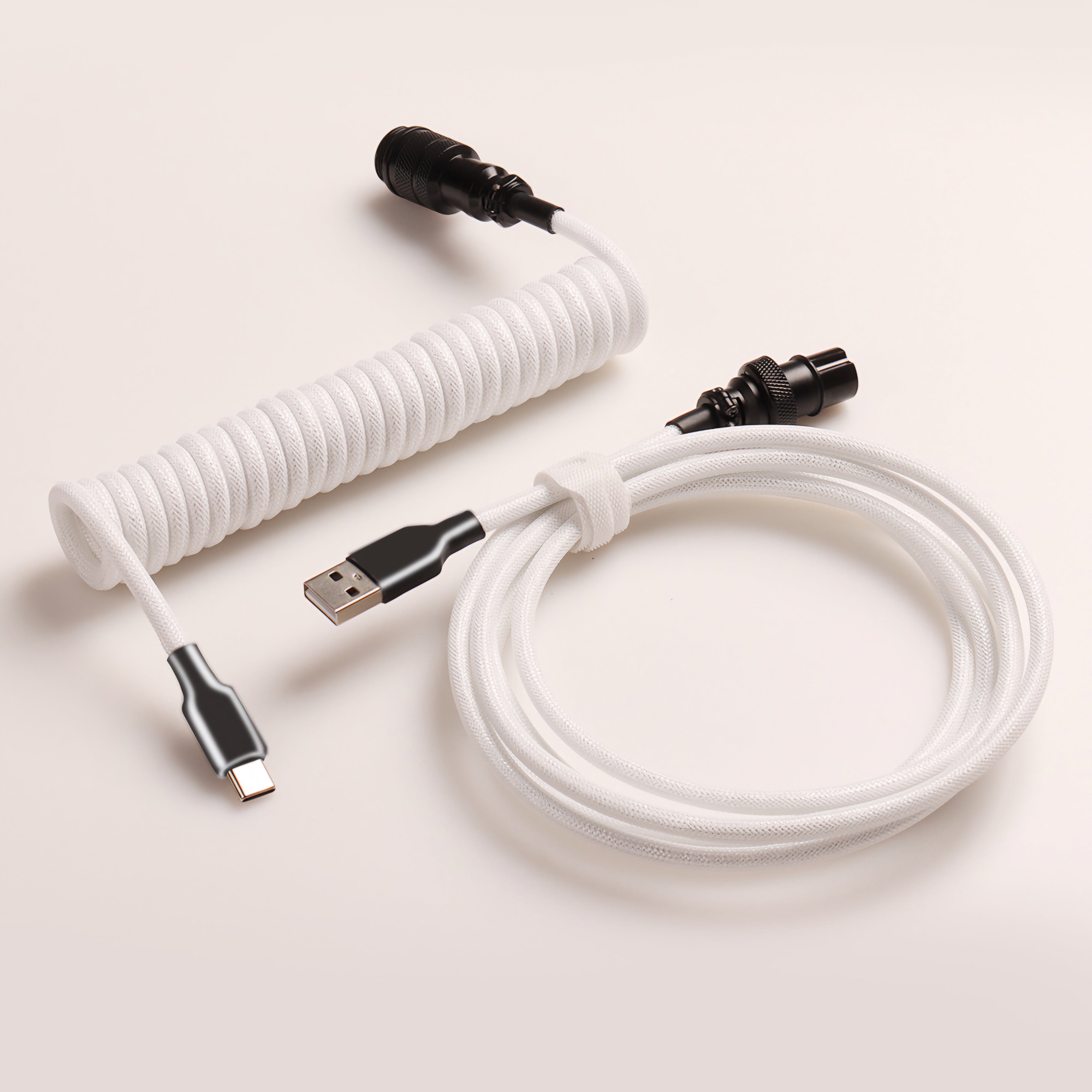
This white cable with black connectors is shown in its existing product photograph. The product title identifies a GX16 aviator connector and a 3.5 m cable. Check the detailed connector, length and compatibility information for the selected option before ordering.
Consider the route from your device to its connection point and the space needed for the cable. Ask about a missing specification before purchase.

A landscape across the desk
The Lakeside Village desk mat is shown in its catalogue photograph. Review the product page for the current dimensions, material information and available options. The design in the image belongs to the linked mat.
Measure the clear space on your desk and consider how much of the mat will sit beneath your keyboard and mouse.
A closer look at keyboard tools
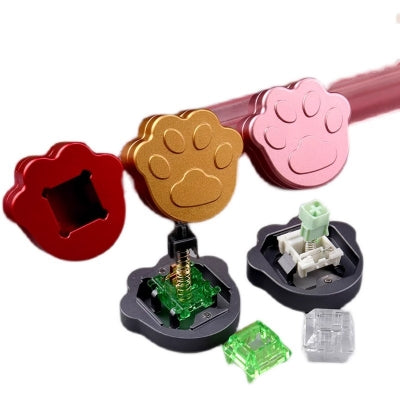
This cat-paw switch opener is an existing item in the accessories collection. Use the product description to check which switch types it supports and what is included; appearance alone does not establish compatibility.
If you are unsure about your switch model, contact support with the product link and the model you want to use it with.
Check your keyboard layout
- Identify your layout: compare the shape and position of the keys on your own board.
- Check the set contents: confirm that the product includes the key sizes and legends your layout needs.
- Confirm compatibility: read the listed mounting or switch information and ask about any missing detail before ordering.
A high key count alone does not establish that a set fits every keyboard.
Compare the profile information
Read the named profile in the individual product description and compare it with the set you currently use. Product photos can help you inspect the key shapes and the arrangement of the included pieces.
For the featured Revelation Rocket set, the catalogue specifies XDA. Other items list their own profiles. Open the product you intend to buy to confirm its specifications and selected option.
Check what is included in the set
A product image can show extra keys, a display board, a storage box or a tool. Review the written contents and selectable options to establish what comes with the specific item you are ordering.
The featured Revelation Rocket description lists 133 keys. If you need a particular key size, legend or accessory and cannot find it in the details, send its product URL to support.
Measure your desk mat space
Measure the usable width and depth of your desk, then compare those numbers with the dimensions of the selected mat. Include space for a monitor stand, cable route and any equipment that needs to sit beside it.
Use the stated product dimensions rather than estimating scale from a room photograph. Confirm the selected size before adding the item to your cart.
Read materials and printing details
Materials and production descriptions vary across the catalogue. Read the exact product description for its material, printing or moulding information rather than applying one item’s specifications to another.
The featured Revelation Rocket set is described as PBT with five-sided dye sublimation and no light transmission. For any product whose specification is unclear, contact support with the item link.
Compare designs and selected options
Look through the available product photographs and verify the colour or design option selected on the product page. A set or accessory may be photographed in more than one arrangement or colour.
Screen settings and lighting affect colour appearance. Check the written option name and ask if the photographs and description seem inconsistent.
Care starts with the item details
Follow any product-specific care instructions provided for your keycaps, mat, cable or tool. Materials and finishes differ, so a cleaning method for one item may not suit another.
If a care instruction or material detail is missing, ask support about the exact product before using cleaning agents or making changes to it.
Review delivery before checkout
The Shipping Policy contains the store’s processing, delivery and destination information. Check the options and charges shown for your own order at checkout.
For a question about a particular item or destination, send the product URL and your country or region to [email protected].
Know the return conditions
Read the Refund & Return Policy before purchasing. It explains the conditions, time limits, costs and steps for requesting a return or refund.
If you already have an order, include its number and a description of the issue when contacting support. Any return arrangements follow the published policy for your circumstances.
About Minisni, and help with your setup
Minisni is an online catalogue of keycaps, desk mats and keyboard accessories. Product pages bring together photographs, current prices, descriptions and selectable options.
Need a product detail?
Send the product link and the size, layout or compatibility information you want to check to [email protected].
Need help with an order?
Include your order number when using Contact Us. You can also read FAQs or About Us.